
Download and share your videos
On this page
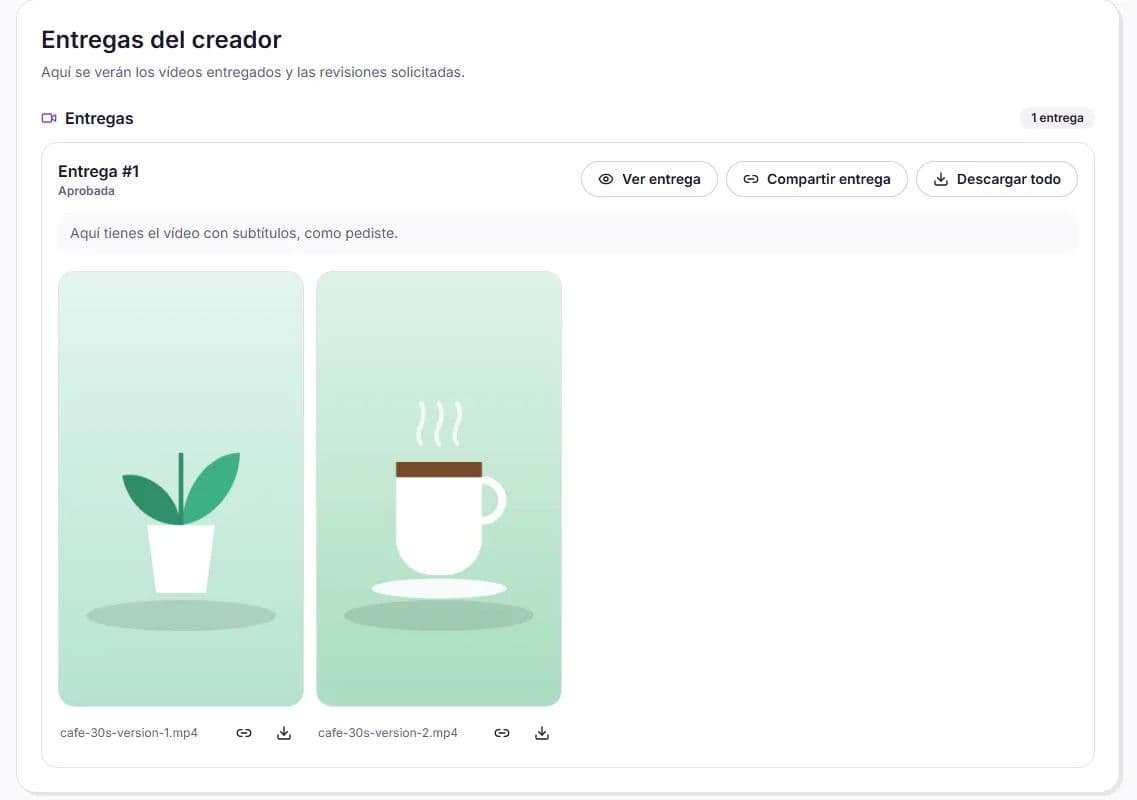
The videos delivered to you by creators are downloaded in original quality and without a watermark. You can also share them with your team or client using a link that does not display HICARI branding.
Where your videos are
- In each collaboration: go to My requests, open the request, click Manage for the creator and open the delivery with View delivery.
- All together: in the Content tab of My requests, you have all delivered videos, with a search bar by title or file name.
Download
- Download video: download the original file of a video.
- Download all: download all the videos in a delivery in a ZIP file.
If you see the message «The video is still being prepared», wait a minute and try again: this is the processing carried out just after uploading.
Share with a link
Choose what to share
Click Share delivery to share all the videos in a delivery, or the link icon for a video (Copy video link) to share only that one.
Add a password if you want
In Password (optional), you can protect the link. If you leave it empty, anyone with the link will be able to view it.
Generate and copy the link
Click Generate link and then Copy link. The recipient will see a page with the videos, without HICARI branding, and will be able to view and download them.
- Links do not expire. They are listed under Active links.
- You can cut off access whenever you want with Revoke link: it is blocked immediately and, if needed, you can generate a new one.
Additional deliveries
Once the collaboration has ended, the creator can still upload Additional deliveries for you at no cost and without review, for example a version without subtitles that you agreed on via chat.
What about unedited footage?
HICARI delivers the final videos to you. If you need the unedited video, without text or music, so you can adapt it yourself, request it in the brief's Editing instructions. Editing or adapting the video is allowed if you specified it in the brief; we explain this in editing and adapting content.