
How you get paid: wallet and withdrawals
On this page
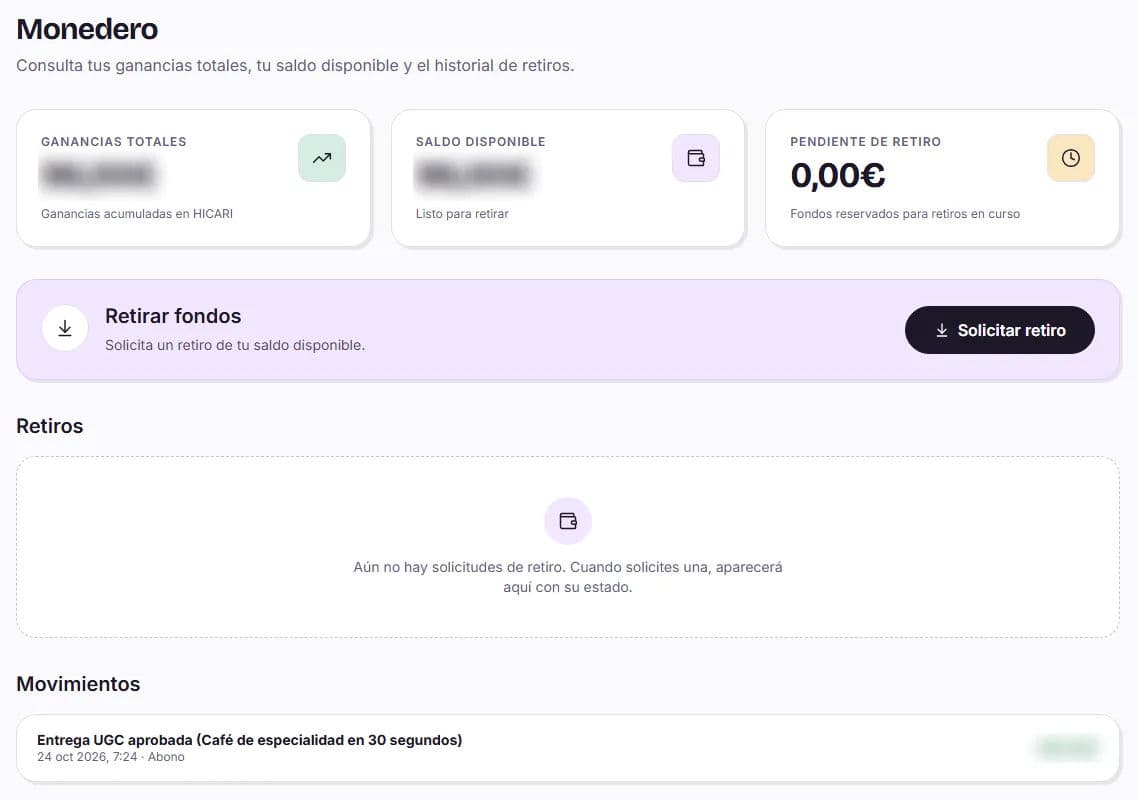
You get paid through your Wallet: when the brand approves your collaboration, the amount moves to your Available balance. From €40, you can Request withdrawal by uploading your invoice and, if everything is correct, we pay you on the last day of the current month. Always in euros and with no withdrawal fee.
Your wallet
| Indicator | What it is |
|---|---|
| Total earnings | Everything you have earned on HICARI, including what you have already withdrawn |
| Available balance | What you can withdraw now |
| Pending withdrawal | The amount reserved for withdrawals in progress |
In Transactions you can see every payment and withdrawal, and in Withdrawals, the status of your requests.
When the money arrives
- Approved collaboration: the amount moves to Available balance as soon as the brand approves it.
- Payment reviews and extras: when they are approved.
- Paid usage rights extensions: when the brand completes the payment.
Until the brand approves it, the amount will not yet appear as available.
How to request a withdrawal
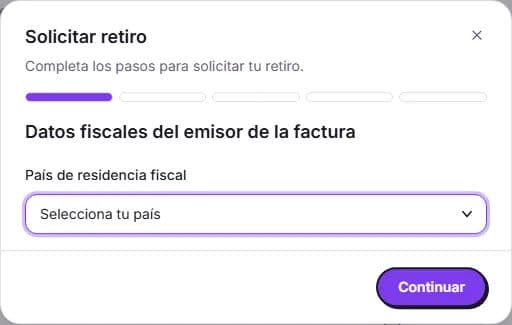
You need at least €40 in available balance and a PDF invoice made out to HICARI BRAND SL. All the details the invoice must include appear in the form itself.
Tax details
Country of tax residence, full name or company name, tax identification number and address. Indicate whether you invoice as an Individual (self-employed) or as a Company / legal entity.
Withdrawal destination
Your IBAN if you live in Spain or your PayPal email if you live in another country. The account holder must be the same person or entity issuing the invoice.
Invoice details
Invoice number and series, and its date, which must be in the current month and cannot be in the future.
Amount
The base amount you want to withdraw (minimum €40) and the taxes that apply to you. You will see the breakdown and the Total net amount to receive.
Invoice in PDF
Attach your invoice (PDF up to 10 MB). It must match all the details above. Click Submit request.
Verification
We automatically check the invoice; this usually takes less than a minute.
Withdrawal statuses
| Status | What it means |
|---|---|
| Under review | We are checking your invoice |
| Payment pending | Everything is correct: payment is made on the last day of the current month |
| Correction required | Something does not match: correct the marked details and click Resubmit request |
| Pending review | Our team reviews the withdrawal before scheduling the payment |
| Paid | We have already paid your withdrawal |
| Rejected | It could not be approved: contact Support |
We notify you by email (and with a push notification if you use the app) when a withdrawal is paid or rejected.
Do I need to be self-employed to get paid?
You need to issue a valid invoice, either as an individual (self-employed) or as a company. We explain it in Invoicing on HICARI: self-employed, company and taxes.
Can I withdraw only part of my balance?
Yes. You specify the base amount you want to withdraw, with a minimum of €40. The rest remains in your available balance.
Can I get paid if I live outside Spain?
Yes. If your tax residence is outside Spain, you get paid through PayPal and always in euros.
Why don't my total earnings and available balance match?
Total earnings include everything you have generated, including amounts already withdrawn or reserved for a withdrawal in progress. Available balance is only what you can withdraw now.
My withdrawal is marked Correction required. What should I do?
Check the marked details (usually some invoice detail does not match the form), correct them or upload a new PDF, and click Resubmit request. If you are unsure, open a ticket with Support.