
Invoices and billing details
On this page
Before your first payment, you need to complete the Billing details for your account. After that, each payment you make generates an invoice, which you can download from Balance.
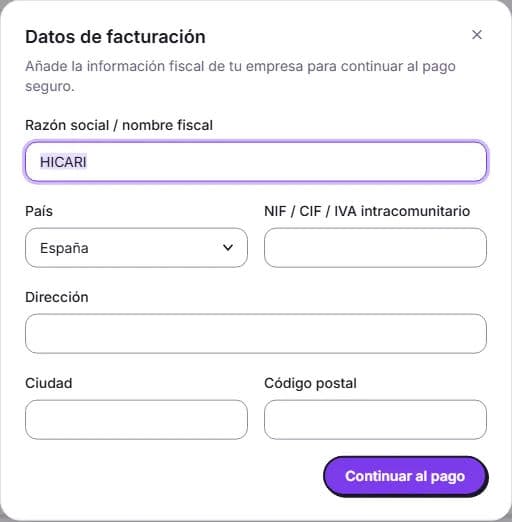
Complete your billing details
You can enter them in two ways:
- When you make your first payment, we’ll ask you for them in a window before continuing to Stripe.
- At any time, from My accounts: open your account, go to Account settings, and look for the Billing details section.
These are the fields:
- Company name / tax name.
- Tax ID / VAT number (outside the European Union, your country’s tax identification number, in its official format).
- Address, City, Postal code, and Country.
In the window before payment, click Continue to payment; in Account settings, click Save changes. If the tax number doesn’t match the format of the selected country, we’ll let you know so you can correct it.
VAT
HICARI prices are shown excluding VAT. The applicable tax is calculated on the Stripe payment screen, and each invoice shows the Taxable amount and VAT broken down.
Download your invoices
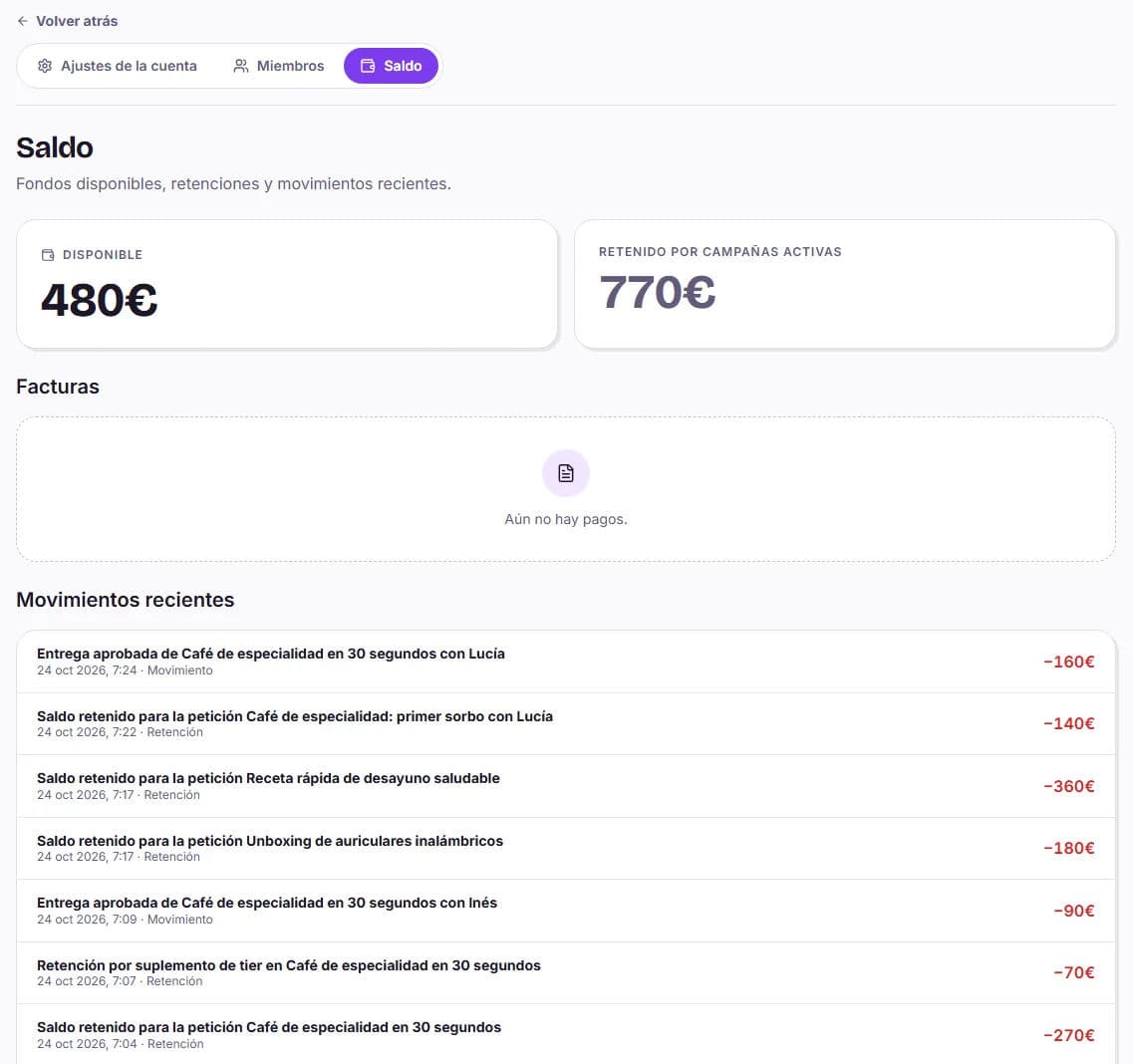
Open Billing from your user menu (top right), or go to your account balance from My accounts. In the Invoices section:
- There is one invoice for each payment you make: a balance top-up or an amount you pay by card when activating a request, choosing a higher-level creator, confirming a paid review, or expanding paid usage rights.
- While it’s being generated, you’ll see Pending invoice. We’ll notify you by email when it’s ready.
- Click Download invoice to save it.
On the same page, you’ll find your available and held balance and your Recent transactions: holds, releases, payments, and transfers.
Multiple brands or clients
Each My accounts account has its own billing details. When you create a new account, you choose The same as the main account or Other billing details, and you can change them later in its settings. If you’re a member of an account and don’t have permission to complete the billing details, ask the owner to fill them in. More information in My accounts: one account per client.
Do I receive an invoice when I use my balance?
No. Invoices correspond to the payments you make. If you top up your balance, you receive the invoice for that top-up; when you later use that balance on a request, no additional invoice is generated.
Can I pay by bank transfer or against an invoice?
Payment in the dashboard is made through Stripe. If you need another payment method or a tailored pack, contact us through Support.
Can I change the billing country?
Yes, from Account settings. Changes apply to payments you make from that point onward.
Questions about how balance works? You’ll find it in balance, packs, and payments.