
Using content in ads (paid media)
On this page
You can use your videos in Meta, TikTok or YouTube ads if the request includes paid usage. In a public request, and therefore in a campaign, paid usage lasts 1 year from the date you approve the video; in a private request, you have 3 months included, which can be extended.
Activate paid usage in the brief
In the Usage and deadlines step, under How will you use the content?, choose Organic + paid to have both uses. Paid media also includes rights for ads. If you choose Organic only, the video does not include them.
| Public or campaign | Private | |
|---|---|---|
| Organic | Unlimited | Unlimited |
| Paid included (if you choose it) | 1 year from approval | 3 months from approval |
| Extend in the brief | Not necessary | 6 months, 1 year or 2 years, depending on the creator's rates |
| Extend later | Extend paid rights (from 1 to 24 months) | Extend paid rights (from 1 to 24 months) |
Extending later is only possible if the request already included paid usage, and the creator has to accept it. We explain this in Extending paid rights and, in detail, in Using content in paid media.
Two ways to run ads
Using the file, from your account
Download the original video (without a watermark) and upload it as an ad from your own account in Meta Ads Manager, TikTok Ads Manager or Google Ads. This works for any request with paid usage, whether or not the creator publishes it.
Promoting the creator's post
If the creator has published the video on their profile, you can promote that post. The ad appears with their name (or both names) and usually looks more natural:
- On Instagram, with collaboration ads.
- On TikTok, with Spark Ads.
HICARI does not have a direct integration with these platforms: you coordinate it with the creator via chat during the collaboration. They generate the authorization code or accept your permission request, and you create the ad. For this, you need valid paid rights.
Keep track of the end date
In each creator's collaboration, you will see the Paid usage rights bar with the remaining time and the end date. Your dashboard shows the rights that expire in the next 30 days, and we notify you by email when the end is approaching.
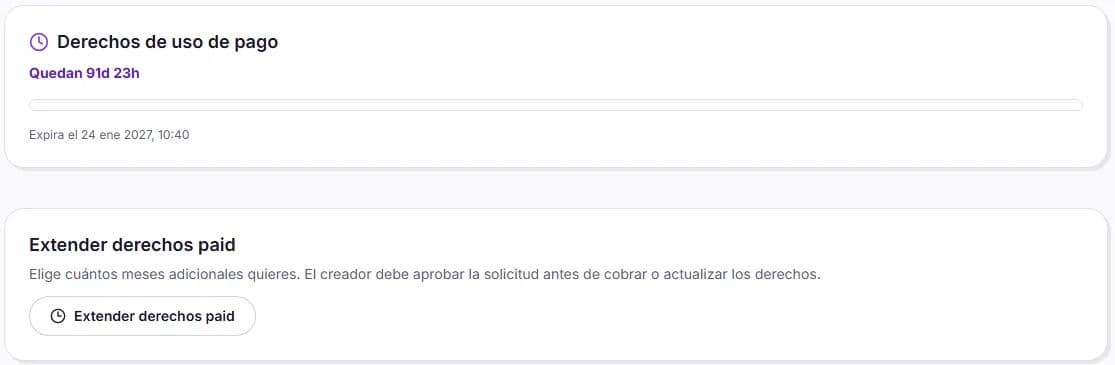
When the paid period ends, you have to stop the ads using that video. Organic usage remains yours: you do not need to delete anything you have published on your channels.
When does paid usage start counting?
When you approve the collaboration, not when you activate the request.
Can I run ads with a video I requested for organic use only?
Not with those rights. Paid extension is available for requests that already included paid usage; if that was not your case, check with Support.
Is there anything I cannot do with the video?
Yes: you cannot resell it, transfer it to third parties or use it for another brand, among other things. See the prohibited uses.