
First steps for creators
On this page
To get started on HICARI, you only need to be 18 or older: there is no minimum number of followers. You can sign up for free on the website or in the app, complete an assistant that takes a few minutes, and upload at least 2 videos to your portfolio.
What you can do on HICARI
- Apply to public requests that brands publish in Opportunities.
- Receive private invitations: a brand sees your profile and proposes a collaboration just to you.
- Post on your social media when the brief requires it, with an extra payment for posting.
- Organize your work with HICARI Workspace, including with brands you find yourself.
Create your account
Sign up through the creator registration or download the HICARI app for creators. You can sign in with an email and password (at least 8 characters) or with Google; on iPhone, you can also use Apple. By signing up, you accept the terms of use.
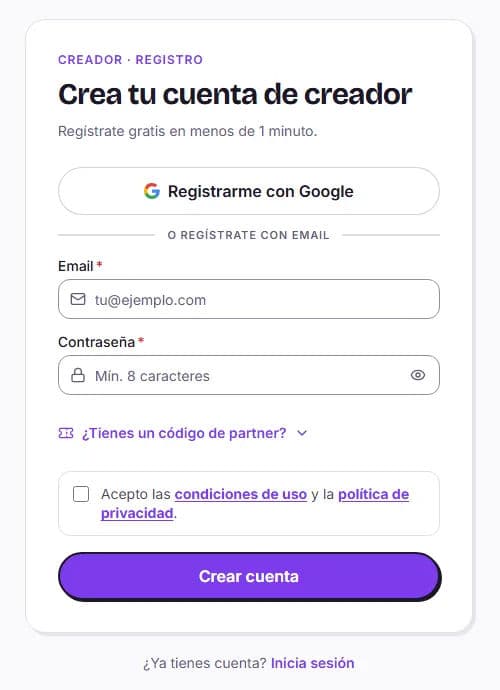
The registration steps
The assistant saves your progress automatically: you can leave and come back whenever you want, and go back to change something.
Confirm your email
Enter the 6-digit code we sent you. If you sign up with Google, this step is skipped.
Verify your Instagram account
If you use HICARI in Spanish, follow @hicari.io on Instagram and send us the code shown to you by direct message, from the account you will use to collaborate. Then click Next.
Tell us about yourself
First name, last name, date of birth, gender and phone number. We use them in contracts and to verify your identity.
Where do you live?
Up to 3 residences and your nationality. Brands use this for local campaigns.
What do you create?
Choose your categories, write a text about your content (at least 20 characters, with no links or contact details), add brands you have worked with if you want, and upload your profile photo or import it from Instagram.
About your content
Optional step: how you record and edit, languages, equipment, or whether pets appear. This helps briefs match you.
Platform rates
Review the rates by level and duration and check I accept the creator level rates shown above. You start at Standard level; if you already have experience, you can request a level upgrade during this same step.
What you still need to do for brands to see you
Once you finish the assistant, your account is already created. To appear in the creator catalogue and receive invitations, you need:
- Your complete personal details, including your phone number.
- At least 2 videos in your portfolio, from Portfolio and profile.
- Vacation Mode not to be activated.
- Your profile to be approved. Once it is, you will have a public link to share your creator profile.
Your dashboard
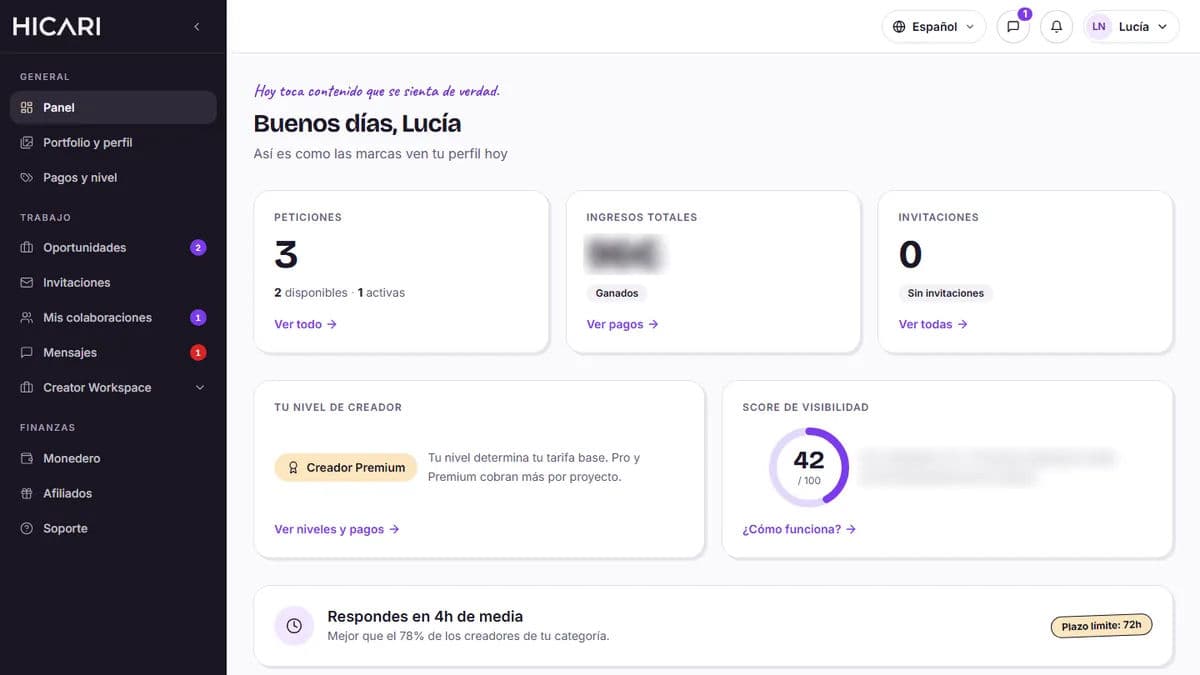
In the Dashboard, you can see your level, visibility score, average response time, public requests that match you and your pending invitations. From the menu, you can access Portfolio and profile, Payments and level, Opportunities, Invitations, My collaborations, Messages, Creator Workspace, Wallet, Affiliates and Support.