
How to choose the right creator
On this page
Choosing the right creator is half the success of the video. Start with their portfolio and then use the indicators on their profile to make a data-driven decision.
Search using filters
In Creators — private brief, you have the entire catalog. At the top, you can filter by Creator type (Standard, Pro or Premium), by Social media or view only your Favorites, and sort by relevance, highest rating, highest acceptance rate or highest score, among other options.
Under Filters, you can narrow it down much further:
- Location: country of residence, region, province or city, and nationality.
- Profile: gender, age range, category, languages, appearance and pets.
- Equipment: who they record with, formats, recording equipment and editing programs.
- Brands they have worked with: to include or exclude creators who have already made content for a brand.
You have these same filters in the list of interested creators for a public request.
What to look at in the profile
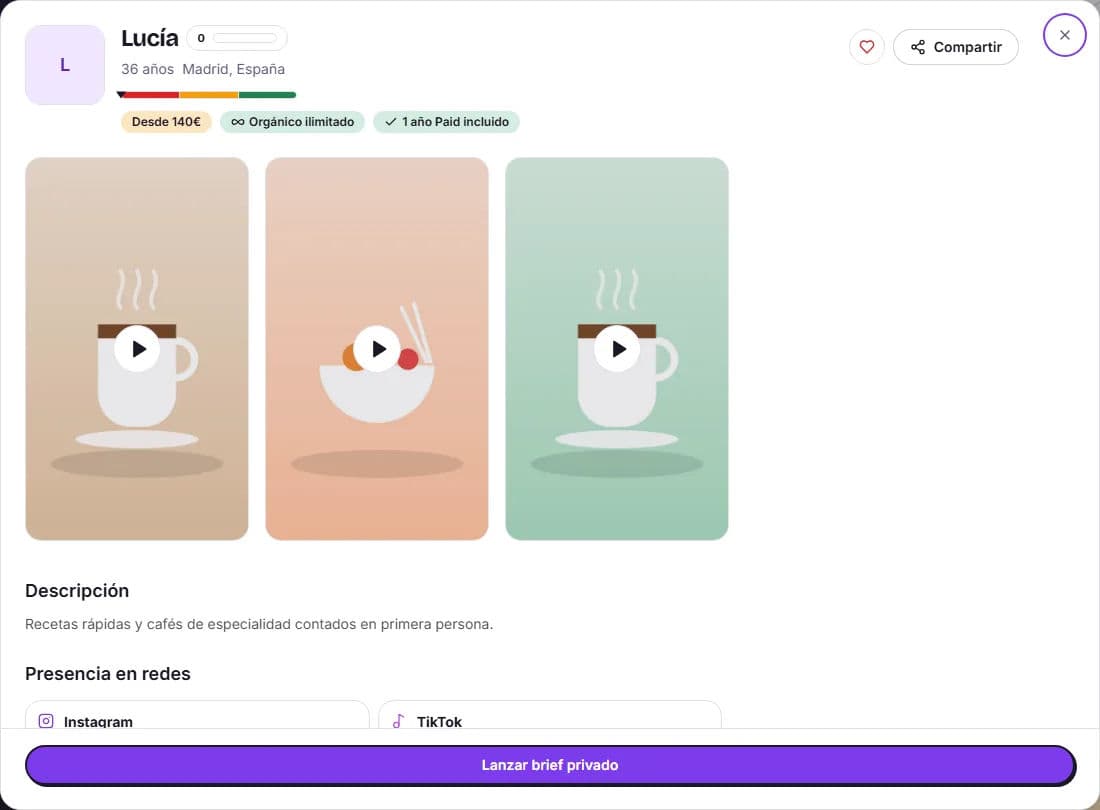
| What to look at | Why it matters |
|---|---|
| Portfolio | It is the best proof of what you are going to receive. Do they speak naturally to the camera? Is the message easy to understand quickly? Does it fit your brand’s tone? |
| Level and price | Standard, Pro or Premium, with their Starting at price. The higher the level, the more experience and production |
| HICARI score (0–100) | Summarizes their recent activity, responsiveness and collaboration history on the platform |
| Acceptance rate | Probability that they will accept a private request. If they do not have a history yet, it appears as «calculating» |
| Reviews | 1-to-5-star ratings left by other brands when approving a collaboration |
| Response and activity | How long they take to respond to requests and when they were last active |
| Social media presence | Their profiles and followers, and the price per post if you want them to publish the video |
| Details | Categories, languages, who they record with, equipment, editing programs and brands they have worked with |
Choose based on the video’s objective
Every creator excels at something: testimonials, unboxings, tutorials, storytelling or ads with several hooks. First think about what you are going to use the video for and look for someone who has already made something similar in their portfolio, not just someone with a style you like.
Save your favorites
Click Add to favorites on any profile and you will have them at hand using the Favorites filter and in the dashboard. In the My creators tab, you can organize them into selections and folders and share them; we explain this in My creators: selections, export and links. If you want to show a profile to your team, use Share on their profile to copy the public link.
Tips for making the right choice
- Watch at least two or three complete videos from the portfolio, not just the first one.
- If you need them to record in a specific city or you need to send products to a country, filter by location.
- For private requests, prioritize a high acceptance rate and a fast response.
- If you are undecided between several creators, launch a public request: you will be able to chat with the candidates before choosing.
- Have you already worked with someone and liked them? Work with them again using Launch private brief or duplicate your previous request.
Once you have made your choice, click Launch private brief on their profile and follow the guide to create your request step by step.