
First steps for brands
On this page
Creating your brand account on HICARI is free and takes a couple of minutes. There is no subscription or commitment: you only pay for the videos you order.
What you can do as a brand
- Order UGC videos from creators to use on your social media, website or ads.
- Launch a public request to receive applications, or invite a specific creator with a private request.
- Create campaigns: public requests in which creators publish the video on their profile in addition to delivering it to you.
- Chat with creators, review deliveries and download videos.
HICARI has more than 5,000 creators, and more than 500 brands have already placed their trust in us.
Create your account
Sign up
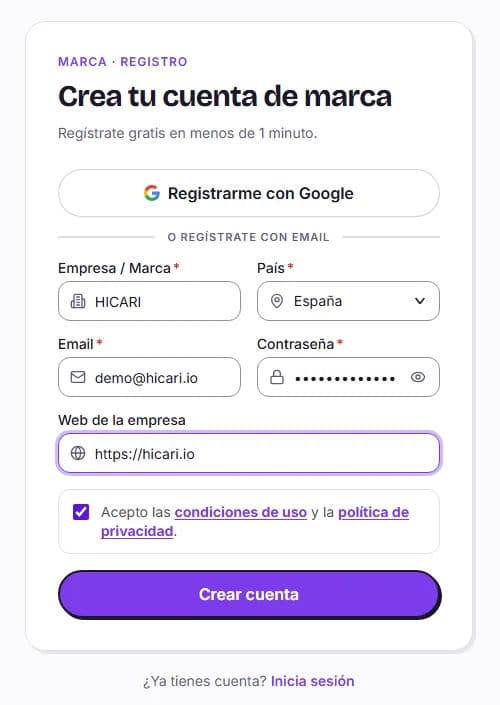
Go to the brand registration page and fill in Create your brand account: Company / Brand, Country, Email, Password (at least 8 characters) and, if you wish, Company website. Accept the terms of use and privacy policy. If you prefer, use Sign up with Google.
Confirm your email
We will send you a 6-digit code. Enter it under Confirm your email and click Verify and continue. If you do not receive it, check your spam folder or use Resend code.
Finish setting up your account
If any information is missing (for example, when signing in with Google), we will ask for your company or brand name, the country where it operates (we use it to apply the correct tax rules) and the website, which is optional.
Your dashboard
When you sign in, you will see the Dashboard, with:
- A setup checklist: Account created, Discover creators, Launch your first request and Receive your first UGC.
- Start tour, a guided tour that shows you where everything is.
- The Top creators of the week and Most viewed creators this week carousels.
- Quick alerts: unread chats, deliveries awaiting your review and videos whose paid rights expire in the next 30 days.
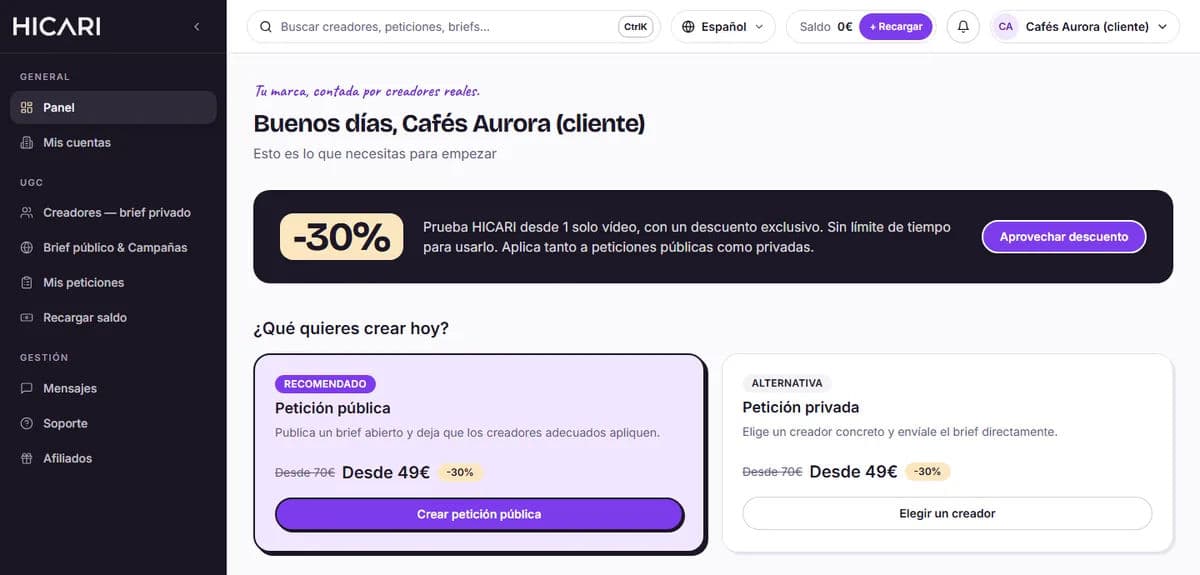
The side menu is organized as follows:
| Section | What you will find |
|---|---|
| General | Dashboard and My accounts |
| UGC | Creators — private brief, Public brief & Campaigns, My requests and Top up balance |
| Management | Messages and Support |
Press Ctrl+K to open the search tool and go directly to a creator, request or page. In your user menu, at the top right, you will find Billing, Personal settings and Support.
Welcome discount
New brands receive a discount on their first payment per video. It is applied automatically at checkout, with no code required, and does not expire; it applies to both public and private requests. You will see it in the dashboard banner (Use discount) and in your request's price breakdown.
What to do first
- Complete your brand profile in My accounts (Account settings): name, photo, description and website. This is what creators see when they view your brand.
- Explore Creators — private brief and add suitable profiles to your favorites.
- Launch your first request. If it is your first time, start with a public request: you will receive applications and can take your time choosing.
- Write a clear brief. Here is a complete example.
Once you are ready, follow the guide to create your first request step by step.