
How to contact HICARI
On this page
The quickest way to speak to us is to open a ticket in Support, within your dashboard. We respond in less than 24 hours and, as a brand, you will always be assisted by a member of the team.
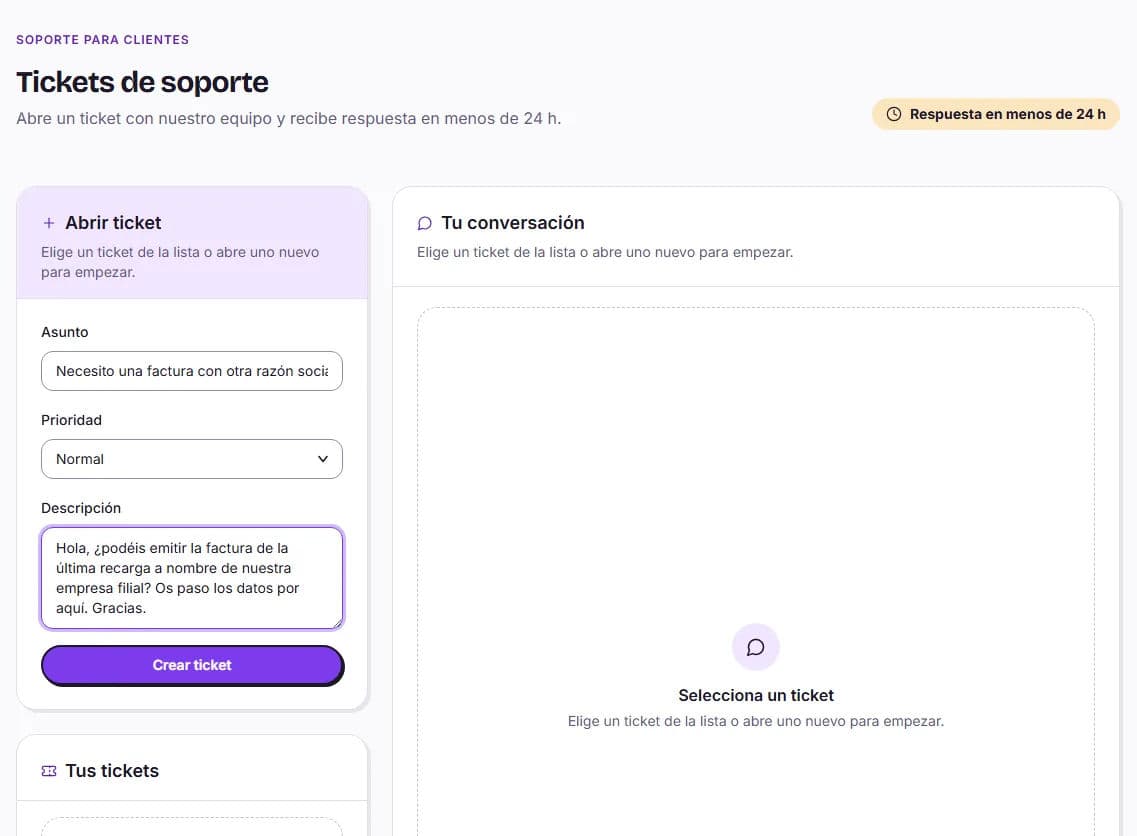
Open a ticket
Go to Support
You’ll find it in the side menu, in the Management section, and also in your user menu (top right).
Click Open ticket
Fill in the Subject, choose the Priority (Low, Normal, High or Urgent) and tell us what is happening in the Description. Then click Create ticket.
Continue the conversation
We will reply in the same ticket. You will see its status in Your tickets: Open, Waiting for support, Waiting for your reply or Closed. If a ticket is closed and you need anything else, open a new one.
What to include so we can help you sooner
- The title of the request and the creator’s name, if it concerns a collaboration.
- What happened, when it happened and what you expected to happen.
- If it is a payment, the date and amount. Never send us your card details.
- If you see an error on screen, its exact wording.
When to contact Support
- You want to pay by bank transfer or need a customised balance pack.
- You want to request a refund. First, review the refund conditions.
- A video clearly does not comply with the brief or does not meet the minimum quality standard.
- You have an issue with a creator. Also see problems with a creator.
- An invoice needs to be corrected.
- Something is not working as it should on the platform.
- You would prefer the HICARI team to manage your videos for you. You can also request this with Talk to marketing in Top up balance.
By email
If you cannot access your account or have not registered yet, email us at hola@hicari.io. It is faster from the dashboard because the ticket is linked to your account.