
Messages with creators: how the chat works
On this page
All communication with creators goes through Messages. From there, you coordinate the script, send files and resolve questions, with everything saved alongside each request.
When you can talk to a creator
| When | How the chat opens |
|---|---|
| Public request, before choosing | With the Chat button on each interested creator's card |
| Private request, before they accept | The creator can write to you to resolve questions before responding |
| During the collaboration | From Messages or with the collaboration's Chat button |
The conversation closes if the collaboration is cancelled or if the invitation expires or is withdrawn. You will see the notice «This conversation is closed» and no more messages can be sent.
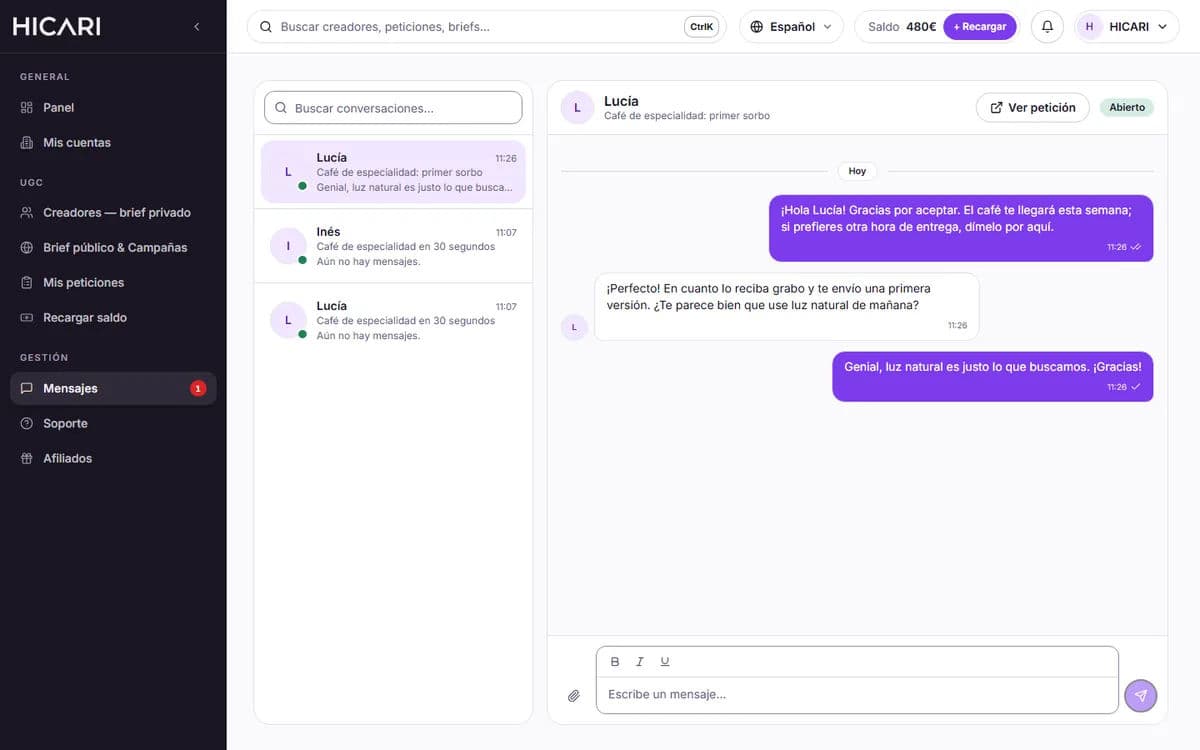
What you can send
- Messages with basic formatting (bold, italics and underline).
- Attachments of up to 200 MB each, up to 10 per message: the script, your logo, product photos or reference videos.
- From each conversation, View request takes you directly to the brief.
Chat rules
- Before choosing or before they accept, messages that include emails, phone numbers or links are not sent and appear as Not sent.
- During the collaboration, do not negotiate prices or share external contact details or suspicious links.
- Keep everything within HICARI. The terms of use do not allow you to contact creators outside the platform for 6 months or make payments outside it. Working within HICARI protects you: the usage rights assignment agreement, the revision round and Support assistance apply to what you manage on the platform.
- Price changes go through the platform. Extras, paid revisions or the expansion of Paid usage rights are always confirmed in your dashboard, never via chat.
If a creator asks you to contact them or pay them outside HICARI, or behaves inappropriately, write to us through Support.
Email notifications
We send you an email when a creator writes to you and a reminder if messages are still unread after 48 hours. If you prefer not to receive them, disable them in Personal settings, under Chat emails. In the Dashboard, you will also see how many unread chats you have.
Are you having a problem with a creator? See what to do if there are problems during the collaboration.