
Creator support
On this page
If you have a problem or a question, open a ticket in Support from your dashboard or the app. We’ll reply in less than 24 hours. You can also write to us at hola@hicari.io.
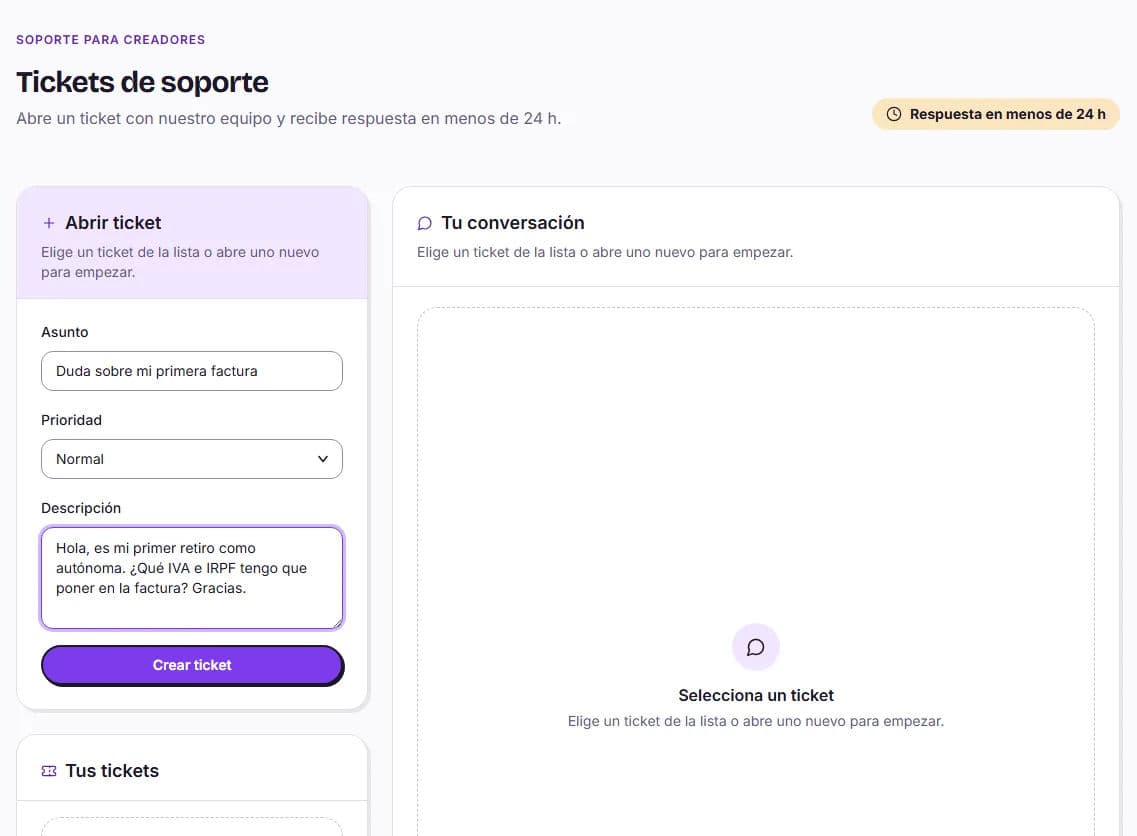
How to open a ticket
Go to Support
On the website, use the side menu; in the app, go to your profile.
Tap Open ticket
Complete Subject, Priority (Low, Normal, High, or Urgent), and Description, then tap Create ticket.
Follow the conversation
In Your tickets, you can see the status of each one and reply. In the app, you’ll receive a notification when someone replies.
Automatic response or a person
Sometimes the first response comes from the HICARI Chatbot, marked as Automatic response. If it has answered your question, tap Yes, thanks. If not, tap No, I want to speak to a person and our support team will handle your ticket.
Ticket statuses
| Status | What it means |
|---|---|
| Open | We’ve received it |
| Waiting for support | It’s our turn to reply |
| Waiting for your reply | We need something from you to continue |
| Closed | It’s resolved; if you need more help, open a new one |
When to contact Support
- Withdrawals: a Rejected withdrawal or a correction you don’t understand. From the withdrawal itself, you can tap Contact support, and the ticket will be filled in with its details.
- Collaborations: you can’t complete a delivery or need to cancel (there’s no button for you to do this yourself).
- Problems with a brand: you can also use Report in the chat.
- Technical errors: video uploads that fail or problems accessing your account.
- Your level or profile: questions about a level-up request or your reviews.
If you can’t access your account
First, try Forgot your password? on the creator login screen. If you still can’t log in, write to us at hola@hicari.io from the email address associated with your account.
Before writing, you may find the answer in the creator guide.